One Shot, One Chance: The Case for Shooting RAW in Unpredictable Underwater Conditions
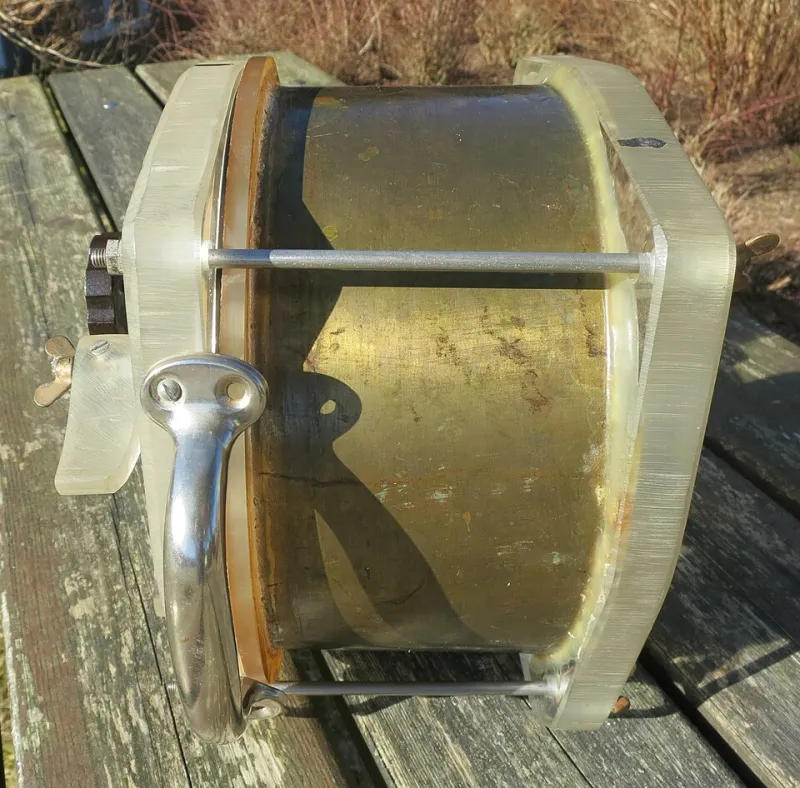
Photo: R. Henrik Nilsson, CC BY 4.0, via Wikimedia Commons
On land, the RAW vs. JPEG debate is mostly academic. You can reshoot. You can go back tomorrow. You can wait for better light. Underwater, that entire premise collapses. The manta ray doesn't reschedule. The bioluminescent plankton bloom you stumbled onto won't be there next Tuesday. And the visibility that was 80 feet at 9 a.m. might be 20 feet by noon.
In an environment this unpredictable, your choice of file format isn't a minor workflow preference — it's a decision with real consequences for the shots you bring home.
Why the Underwater Environment Breaks the Normal Rules
Most photography advice about file formats assumes a relatively stable shooting environment. Studio shooters, portrait photographers, even landscape photographers can control or predict a lot of variables. Underwater photographers cannot.
Consider what you're actually dealing with on a typical dive:
- Color shifts by depth. Reds disappear by 15 feet, oranges by 25, yellows by 35. The deeper you go, the more blue-green everything becomes. Correcting this in post is non-negotiable if you want accurate color — and that correction is dramatically easier with RAW data.
- Lighting changes constantly. Cloud cover, surge, the angle of the sun, the presence of particulate in the water — all of these shift your exposure from frame to frame in ways that are almost impossible to anticipate.
- You rarely get a second pass. Marine life moves on its schedule, not yours. A nudibranch might sit still for 10 minutes. A pod of dolphins might blow through in 30 seconds. Whatever you captured in that window is what you have.
- White balance is a moving target. Even with strobes, the background ambient light shifts constantly. Auto white balance underwater is notoriously unreliable, and manually setting it mid-dive is often impractical.
All of this points in one direction: you want as much recoverable data as possible from every frame.
The Real Argument for RAW Underwater
RAW files preserve everything your sensor captured — full tonal range, unprocessed color data, maximum latitude for exposure correction. For underwater photography specifically, this matters in a few concrete ways.
White balance is fully adjustable after the fact. This is probably the single biggest advantage. Shoot a RAW file in blue-green ambient light at 60 feet, and you can dial in a completely accurate white balance in Lightroom or Capture One without any quality penalty. Do the same with a JPEG, and you're fighting with baked-in color decisions the camera made in a fraction of a second — decisions that were almost certainly wrong.
Exposure recovery is dramatically better. If your strobe didn't fire, or you were slightly off on a fast-moving subject, RAW gives you 2–4 stops of workable recovery in either direction depending on your sensor. JPEGs compress that headroom significantly. In an environment where getting the exposure perfect on every shot is genuinely difficult, that latitude is invaluable.
Noise reduction is more effective. Shooting in low light — caves, deep walls, night dives — means higher ISO. RAW files give noise reduction algorithms in Lightroom and Photoshop far more to work with than a JPEG that's already had noise reduction baked in by the camera's processor.
The Honest Case for JPEG (Yes, There Is One)
RAW isn't the automatic right answer for every underwater shooter. There are legitimate scenarios where JPEG makes sense, and dismissing them entirely would be intellectually dishonest.
Card and storage management on live-aboard trips. Spend a week on a live-aboard in the Florida Keys or the Pacific Northwest doing four dives a day, and you can easily shoot 500–800 frames per day. RAW files from a modern mirrorless camera can run 25–50 MB each. That math gets uncomfortable fast. If you're traveling without a laptop or a reliable way to offload cards, JPEG's smaller file size can be a practical necessity.
Cameras with slow RAW buffer speeds. Some housing-compatible cameras — especially older crop-sensor models — write RAW files slowly enough that burst shooting becomes limited. If you're tracking fast-moving pelagics, a JPEG burst rate that doubles your continuous shooting speed might genuinely matter more than the editing flexibility.
Shooters who nail exposure in-camera. If you're an experienced underwater photographer with a well-dialed strobe setup and strong in-camera technique, the gap between RAW and JPEG narrows considerably. JPEG from a well-exposed frame with accurate white balance is a perfectly publishable image.
The Middle Path: RAW + JPEG Simultaneously
Most modern cameras — including the popular Sony, Olympus/OM System, and Nikon models frequently paired with Nauticam, Ikelite, and Aquatica housings — can shoot RAW and JPEG simultaneously. This gives you the best of both worlds: small JPEGs for quick review and sharing on location, plus RAW files for any frame worth serious editing.
The trade-off is card space, but with the price of high-capacity SD and CFexpress cards in 2024, this is increasingly a non-issue for most US-based divers. A 256 GB card runs under $40. Bring two.
Practical Workflow Tips for Managing Underwater Libraries
Whether you shoot RAW, JPEG, or both, underwater photo libraries grow fast and get messy quickly. A few habits that help:
Cull immediately after every dive, before the next one. On a live-aboard or multi-day trip, it's tempting to let frames pile up. Don't. Spend 15 minutes after each dive doing a first-pass delete of obvious misses — out-of-focus frames, accidental shots, blurry fins. It keeps your library manageable and your editing sessions from becoming overwhelming.
Use star ratings or color labels for keepers. In Lightroom, a quick one-star rating as you cull means you can filter to your best frames instantly. This matters especially when you've shot 400 frames in a single dive and need to find the six publishable ones.
Back up to two locations before you leave the dive site. Cards fail. Hard drives fail. If you're on a live-aboard or a remote dive trip, losing your shots to a hardware failure is genuinely devastating. A portable SSD plus cloud backup via satellite or marina WiFi is the minimum sensible setup.
Name your files by location and dive number. Generic camera filenames are useless six months later when you're trying to find that shot from the Blue Heron Bridge night dive. Build a naming convention and stick to it from day one.
The Bottom Line
If you have to pick one format and you're serious about underwater photography, shoot RAW. The color correction flexibility alone justifies it for an environment where accurate color is one of your biggest technical challenges. The exposure latitude is a safety net you'll be grateful for when conditions get weird — and underwater, conditions always get weird eventually.
But understand the trade-offs, build a storage and workflow system that can handle the file sizes, and don't let perfect be the enemy of good. A sharp, well-exposed JPEG of a hammerhead shark is worth infinitely more than a perfectly-edited RAW file of an empty blue water column.
Shoot the thing first. Worry about the format second.