Gone at 60 Feet: How Underwater Photographers Lose Their Best Shots (And How to Get Them Back)
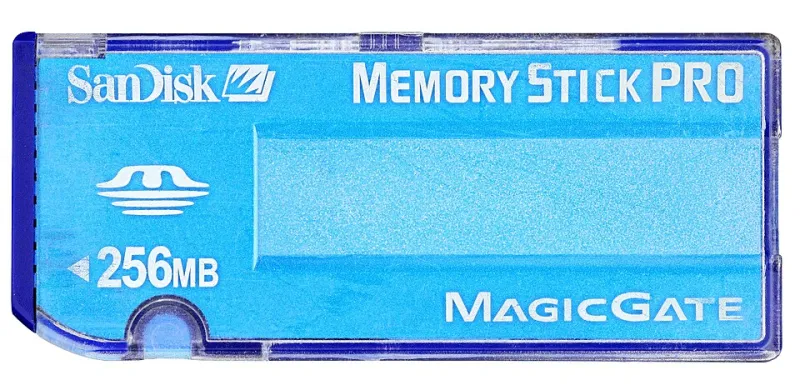
Photo: Mister rf, CC BY-SA 4.0, via Wikimedia Commons
You know the feeling. You just came up from a 50-minute dive on a wreck you've been planning for months. The manta rays showed up. The light was doing that thing it only does for about four minutes a day. You nailed it—or you thought you did. Then you pop the card into your laptop, and your file manager stares back at you with a blank expression. Zero images. Or worse: thumbnails that won't open, corrupted RAW files, folders that vanish halfway through transfer.
Losing underwater footage hurts differently than losing shots on land. You can't just go back tomorrow and reshoot. The conditions won't repeat. The trip cost you real money. And that manta? She's not going to hold her position while you reformat.
Data loss is one of the least-discussed hazards in underwater photography, and it's more preventable than most people realize—once you understand what's actually causing it.
Why the Underwater Environment Is Especially Hard on Memory Cards
Memory cards themselves are pretty resilient little devices. Under normal circumstances, a quality SD or CFexpress card can handle a lot of abuse. The problem isn't the card in isolation—it's the system around it, and how that system interacts with saltwater, pressure, and temperature cycling.
Here's what's working against you on every dive:
Salt residue in card slots. Even a housing that seals perfectly still exposes the card door and slot to the environment during surface intervals, boat handling, and transfers. Salt doesn't have to flood the slot to cause damage—microscopic residue left after a saltwater splash and subsequent drying can corrode the card's gold contacts over time. That corrosion causes intermittent read errors that look exactly like card failure but are actually a contact problem.
Pressure differentials during descent and ascent. This one surprises a lot of divers. While your housing is rated to depth, the air trapped inside the housing—including in the card slot cavity—compresses and expands with depth changes. In cheaper housings or those with imperfect internal seals, this micro-flexing can stress the card slot contacts, causing the card to momentarily lose its connection to the camera mid-write. If that happens while you're writing a large RAW file, you can end up with a corrupted file header that makes the entire card appear unreadable.
Temperature shock. Jumping from a sun-baked boat deck into 68°F Pacific water causes rapid thermal contraction. Metal contracts faster than plastic, and card slot tolerances that are fine at room temperature can get slightly loose in cold water—again, just enough to cause intermittent write errors.
Wet hands during card handling. Obvious in hindsight, but most divers pull their card out with damp hands on a rocking boat. A single drop of saltwater on the contacts is enough to cause problems if it's not cleaned before the card goes into a reader.
The Corruption Patterns That Actually Happen
Not all data loss looks the same, and the pattern can tell you a lot about the cause.
If your card shows as unformatted or unrecognized, you're likely dealing with a damaged file system—often caused by an interrupted write cycle (power loss, card removal during write, or a contact failure mid-session). The data is almost certainly still physically present on the card.
If you can see file names but the images won't open, you've probably got corrupted file headers. The image data exists but the camera didn't finish writing the metadata wrapper that tells your software how to read it. This is highly recoverable.
If some images open fine and others don't, the issue is likely localized—either to a bad sector on the card or to files that were being written when something went wrong. Earlier images from the same session are usually intact.
If the card is completely blank after what felt like a full session, check first whether you accidentally hit format, then check whether the card was ever properly recognized by the camera to begin with. A card that was never fully initialized won't write anything even if the camera appears to be shooting normally.
Real Recovery Strategies That Actually Work
Before you do anything else: stop writing to the card. Every new file you add overwrites sectors that might contain your lost images. Take the card out, put it somewhere safe, and resist the urge to format or "fix" it with your camera.
For actual recovery, a few tools have proven themselves in the underwater photography community:
- Disk Drill (Mac/Windows) is probably the most user-friendly option and handles RAW formats from most major camera manufacturers reasonably well.
- PhotoRec is free, open-source, and surprisingly effective, though the interface is terminal-based and it strips original file names.
- R-Studio is more expensive but handles complex corruption scenarios better than consumer tools.
- SanDisk's RescuePRO comes bundled with many SanDisk cards and is worth trying first if that's your brand.
If software recovery fails—particularly if the card itself is physically damaged—professional data recovery services like DriveSavers or Ontrack can sometimes pull files from cards that software can't touch. It's expensive (think $300–$1,500 depending on the job), but if the footage is irreplaceable, it's worth a call.
The Backup Workflow Divers Actually Need
Recovery is the last resort. Prevention is the whole game.
Use two cards when your camera supports it. Many mirrorless bodies let you write simultaneously to two slots. Turn that on. Always. Yes, it halves your available capacity, but losing half a dive's shots is infinitely better than losing all of them.
Back up at the end of every dive day, not every trip. On liveaboards or remote expeditions, it's tempting to batch everything at the end. Don't. Use a portable SSD or a device like the HyperDrive or Gnarbox to back up each card after each dive day. If something goes wrong on day four, you still have days one through three.
Clean your contacts religiously. A few swipes with a clean, dry microfiber cloth across the card contacts before every insertion takes about four seconds and prevents a category of failure entirely.
Don't cheap out on cards. Off-brand cards that cost a third of the price fail at a much higher rate, and they fail unpredictably. In an environment as unforgiving as open water, this isn't the place to save $18. Stick to SanDisk Extreme Pro, Sony Tough, or Lexar Professional cards. The Sony Tough series in particular is designed for environmental resistance and is worth the premium for underwater work.
Let the camera finish writing before you turn it off. That little blinking write indicator on your camera body means the card is still working. Cutting power mid-write is one of the most reliable ways to corrupt a file. Give it five extra seconds. Every time.
The Shots You Almost Lost
There's a thread on a popular dive photography forum where photographers share their recovery stories. A shooter in the Florida Keys recovered 340 images from a card that his laptop refused to read—a $4 card reader with corroded contacts was the actual culprit, not the card itself. A photographer in Hawaii lost three dives' worth of footage to a corrupted partition table and got 80% of it back with PhotoRec. Another diver lost everything after formatting a card she thought was a spare—that one didn't have a happy ending.
The pattern in the success stories is almost always the same: they stopped immediately, didn't write anything new to the card, and used dedicated recovery software before panicking.
The ocean gives you moments you can never recreate. Your job is to make sure the technology between you and those moments is as bulletproof as you can make it—and that when something does go wrong, you know exactly what to do next.